
Secure Photo Sharing for Verified Swingers Communities
Secure Photo Sharing for Verified Swingers Communities
Share sensitive photos securely by importing them into a vault-style encrypted gallery, stripping EXIF metadata, enabling multi-factor authentication, and sharing only with ID-verified members on a privacy-first platform like Swingersuk. End-to-end encryption (E2EE) keeps keys out of the provider’s hands, screenshot alerts notify you of capture attempts, and access revocation lets you cut off viewing at any time.
TL;DR:
- Import photos into a vault app and delete the original from your camera roll
- Strip EXIF metadata before sharing
- Enable MFA or biometric lock on your account
- Verify your recipient’s identity before sending anything sensitive
Table of Contents
- Does your secure photo sharing platform pass this checklist?
- How to prepare and share a sensitive photo safely
- What do E2EE, zero-knowledge, and vault imports actually mean?
- What secure sharing cannot guarantee
- How Swingersuk meets these security criteria
- Key Takeaways
- The part most guides skip: community trust is the real security layer
- Swingersuk: privacy-first sharing for verified members
Does your secure photo sharing platform pass this checklist?
Before you share a single image, confirm the platform you’re using meets every item below. One missing signal is enough reason to pause.
- E2EE stated explicitly: The platform encrypts files on your device before upload, so only you and your recipient hold the keys
- Zero-knowledge architecture: The provider cannot decrypt your content, even under a legal request or data breach
- Import-to-vault flow: Files live inside the encrypted gallery, not just in your camera roll where iCloud or Google Photos can sync them automatically
- EXIF/metadata stripping: Location data, device model, and timestamp are removed before the file leaves your device
- Explicit access revocation: You can cut off a recipient’s access at any time, not just delete your own copy
- Role-based permissions: Album-level controls let you set who can view, download, or forward
- Screenshot detection or alerts: The app notifies you when a screenshot is taken (note: this is an alert, not a technical block)
- MFA, biometrics, or PIN lock: Account access requires more than a password
- No-data-selling privacy policy: Published, readable, and explicit — no algorithmic indexing, no public profiles, no selling member data to third parties
- Verified member profiles: ID-checked badges reduce the risk of sharing with a fake account
Pro Tip: Before trusting a verification badge, check whether the platform uses both AI and human review. AI alone can be spoofed with synthetic IDs. A combined AI + human process, like the one Swingersuk uses, is meaningfully harder to game.
How to prepare and share a sensitive photo safely
Follow this sequence every time. Skipping steps, especially the first two, is where most exposure incidents start.
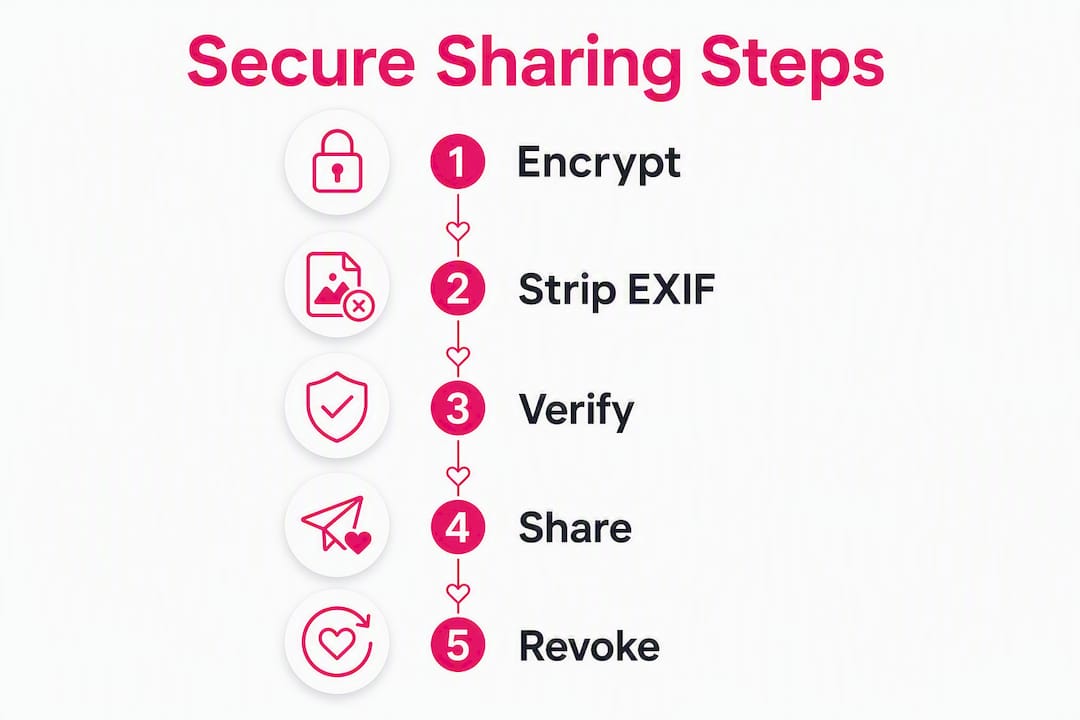
- Crop and review the file. Remove any identifying details visible in the frame — mirrors, tattoos, location-specific backgrounds.
- Strip EXIF metadata. Use a dedicated tool (iOS’s built-in share sheet can strip location; Android users can use a metadata-removal app) before the file enters any sharing flow.
- Import into your vault. Open your vault app and import directly. Delete the original from your camera roll immediately after — leaving a copy there risks automatic backup to iCloud or Google Photos.
- Set album-level permissions. Assign view-only access. Disable download or forwarding if the platform supports it.
- Invite a verified recipient only. Use a QR code, secure deep link, or in-platform invite tied to a verified profile. Never share a link in an open chat or unverified DM.
- Enable viewing constraints. Where available, set a time limit or view-once mode. Ephemeral sharing services delete content after the active viewing window closes.
- Test with a non-sensitive file first. Send a placeholder image, confirm the recipient can access it, and verify the revocation flow works before sharing anything intimate.
- Monitor access logs. Check who has viewed the file and when. Most vault platforms surface this in an activity or audit log.
- Revoke access when done. Don’t wait. Remove the recipient’s permissions as soon as the share is no longer needed.
iOS note: Turn off iCloud Photos backup for your vault app specifically in Settings > [App Name] > iCloud. On Android, exclude the vault folder from Google Photos auto-backup in the app’s settings.
Pro Tip: Set up a decoy vault with a secondary PIN that opens a non-sensitive folder. If you’re ever pressured to unlock your phone, the decoy presents a plausible alternate gallery while your real content stays hidden. Store your primary vault password in an offline password manager, not in your phone’s notes app.
Before you send, confirm:
- Mutual interest has been established (both parties have agreed to share)
- The recipient holds an ID-verified badge on the platform
- You’ve tested revocation with a dummy file
What do E2EE, zero-knowledge, and vault imports actually mean?
These terms appear on every privacy product page. Here’s what they mean in practice, and what they don’t.
End-to-end encryption (E2EE) means your file is encrypted on your device before it’s uploaded. The platform’s servers only ever see ciphertext. Only the intended recipient, holding the matching decryption key, can open the file. If the platform is breached, attackers get encrypted noise.
Zero-knowledge goes one step further: the provider holds no copy of your key. They cannot decrypt your content even if compelled to. The trade-off is real: if you lose your password or key, the content is gone permanently. There is no “forgot password” recovery on a true zero-knowledge platform. Store your recovery key offline, in a physical notebook or an air-gapped password manager.
Client-side encryption is the mechanism behind both: encryption happens on your device (the “client”), not on the server.
Vault import vs. camera-roll storage is not a minor distinction. A file that stays in your camera roll is one iCloud sync away from appearing in an unencrypted, searchable cloud library. Import-to-vault moves the file into an encrypted container the platform manages, and the best vault apps prompt you to delete the original immediately after import.
EXIF stripping removes the metadata layer embedded in every photo file: GPS coordinates, device model, timestamp, and sometimes even the camera’s serial number. Check that your app strips this before the file is shared, not after.
Screenshot detection sends you an alert when a recipient takes a screenshot. It is not a lock. Software cannot prevent a hardware camera pointed at a screen, and OS-level screen recording bypasses detection on some devices. Treat an alert as useful intelligence, not a guarantee.
Decoy PINs and view-once sharing: A decoy PIN opens a secondary, non-sensitive vault folder. View-once sharing deletes the file after a single viewing session. Timed ephemeral links expire after a set window regardless of whether the file was viewed.
What secure sharing cannot guarantee
No app closes every gap. These are the limits you need to plan around.
- Hardware recording is unstoppable. A second phone pointed at your screen captures everything. Screenshot alerts don’t cover this.
- Recipient device compromise. If your recipient’s phone is infected with spyware or accessed by someone else, your content is exposed regardless of your platform’s protections.
- Shared or family devices. A recipient who uses a shared tablet or a family phone creates unintended access points.
- Social engineering. Attackers sometimes target the recipient rather than the platform, tricking them into forwarding content.
- Coerced disclosure. Physical pressure to unlock a device bypasses every software control. A decoy vault is the only partial mitigation here.
- Permanent key loss. On zero-knowledge platforms, losing your decryption key means losing your content forever. No support ticket fixes this.
If a photo is shared without your consent:
- Revoke platform access immediately
- Document the incident with screenshots of the conversation and access logs before revoking
- Report through the platform’s moderation channel
- Contact the platform’s support team to request content removal and account review
How Swingersuk meets these security criteria
Swingersuk is built around the assumption that privacy protection for women and all members starts before a single message is sent. The platform’s verification layer uses both AI and human review to confirm member identities, which means the ID-verified badge on a profile carries real weight, not just a checkbox.
The Pulse Handshake System requires mutual interest before messaging opens. You cannot receive an unsolicited photo request from a stranger. That single design decision removes a large category of unwanted contact that other platforms leave open.
Swingersuk’s private cam rooms use role-based access controls, so only members you’ve explicitly admitted can view a session. Incognito controls let you browse and share without appearing in discovery feeds. The platform’s privacy policy explicitly rejects data selling and algorithmic public indexing.
Platform trust signals at a glance:
- AI + human ID verification on every member profile
- Pulse Handshake: mutual interest required before any message or share
- Role-based access for cam rooms and private galleries
- Incognito mode: browse and share without public visibility
- Published, readable privacy policy with no data-selling clause
- Region-based private cam rooms with controlled access
- Moderation and reporting tools for consent violations
To test the revocation flow: share a non-sensitive image with a trusted verified member, confirm they can view it, then revoke access and ask them to confirm the file is no longer accessible. This one test tells you everything about whether the platform’s access controls actually work.
Key Takeaways
Secure photo sharing requires E2EE, vault-style import with EXIF stripping, MFA, verified recipients, and a clear revocation path — no single feature is sufficient on its own.
| Point | Details |
|---|---|
| Import to vault, delete original | Leaving a copy in your camera roll risks automatic iCloud or Google Photos backup. |
| Strip EXIF before sharing | Location, device, and timestamp data are embedded in every photo file by default. |
| Verify the recipient first | ID-verified badges backed by AI + human review are meaningfully harder to fake. |
| Screenshot alerts are not blocks | Hardware recording bypasses all software detection; trust in the recipient matters as much as the app. |
| Swingersuk’s verified community | Pulse Handshake, AI + human ID checks, and role-based access make it a privacy-first choice for UK swingers. |
The part most guides skip: community trust is the real security layer
The technical controls matter. E2EE, vault imports, EXIF stripping — these are the floor, not the ceiling. What I see consistently overlooked in guides like this one is that the human layer is where most real-world incidents originate.
Platform encryption protects the channel. It does not protect you from a recipient who decides to act in bad faith after receiving your content. The verified community model that Swingersuk uses addresses this directly: mutual consent before messaging, ID-checked profiles, and a moderation structure that takes violations seriously. That’s not a marketing claim — it’s a structural design choice that changes the risk profile.
My practical advice: always test with a non-sensitive photo first, not because the technology might fail, but because it tells you how the other person handles access and discretion before anything sensitive is on the line. Community norms around consent, as outlined in guides on swingers community etiquette, exist precisely because technical controls and human judgment need to work together.
Swingersuk: privacy-first sharing for verified members
Swingersuk gives you something most photo-sharing tools don’t: a community where every member has passed AI and human ID verification before they can interact with you. That means the person receiving your private gallery isn’t anonymous — they’re accountable.
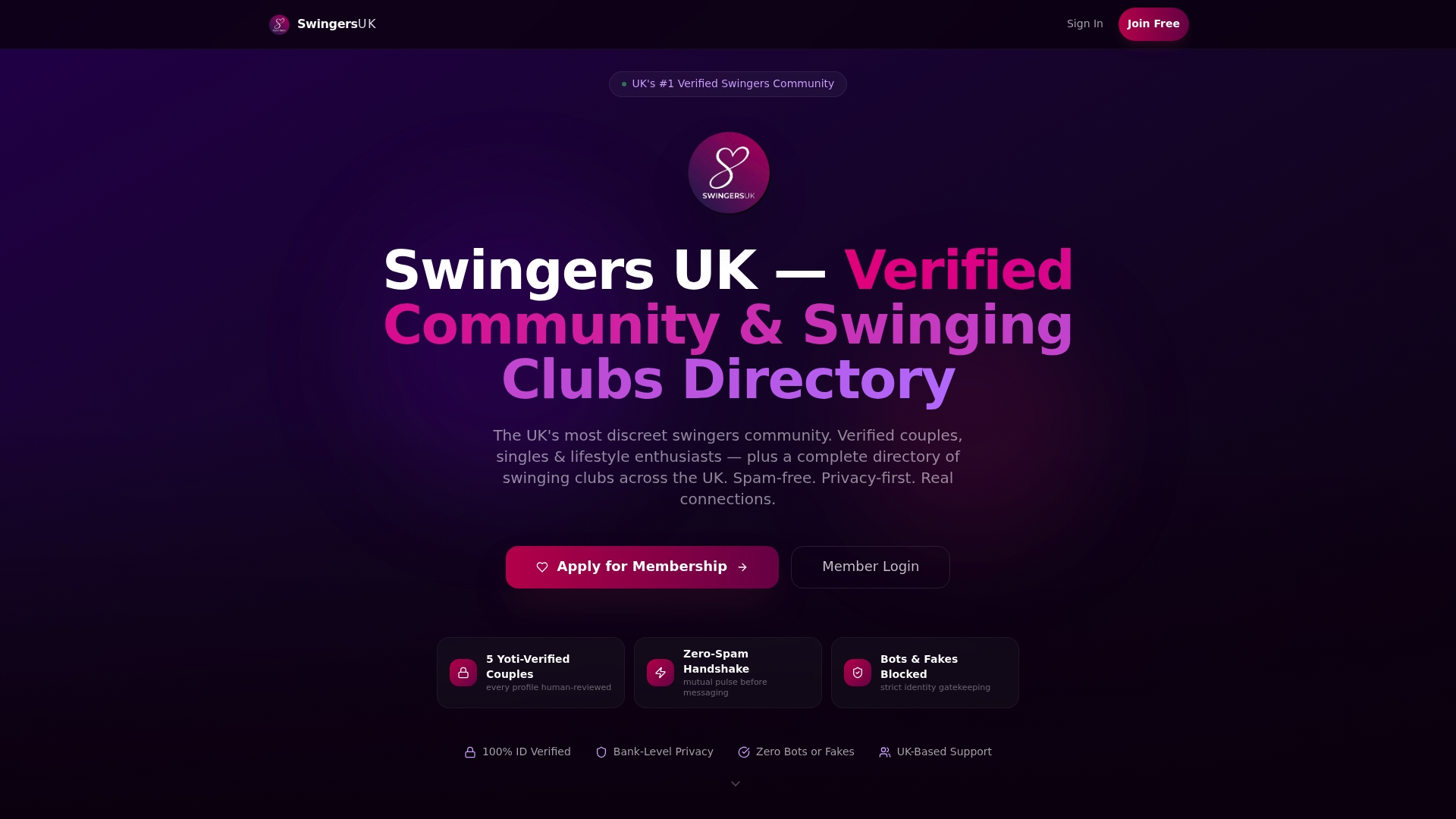
Complete your ID verification to unlock full access to private galleries, role-based cam rooms, and the Pulse Handshake messaging system. Every share happens inside a verified, consent-first environment.
What you get as a verified member:
- AI + human ID verification on every profile you interact with
- Pulse Handshake: no unsolicited messages or photo requests
- Private cam rooms with role-based access controls
- Incognito mode for discreet browsing and sharing
- A published no-data-selling privacy policy
- Moderation tools to report and revoke access instantly
View membership options and see which plan gives you the privacy controls your sharing needs.