
Revoke Consent Online in 6 UK GDPR Steps, Open Banking and Swingersuk Example
Revoke Consent Online in 6 UK GDPR Steps, Open Banking and Swingersuk Example
Yes, you can withdraw consent online at any time, and under UK GDPR Article 7(3), organizations must let you do it as easily as you gave it. Withdrawal stops future processing tied to that consent, but it isn’t retroactive, and other legal bases may let some processing continue. Start with the privacy dashboard or account settings; if there isn’t one, contact the organization’s data protection officer directly, and escalate to the ICO if they ignore you.
TL;DR:
- Organizations must provide a straightforward way to withdraw consent via privacy dashboards or account settings, avoiding the need for legal help or complex procedures.
- Revoking consent typically involves disabling cookies, unsubscribing from emails, removing third-party app permissions, and saving proof of your request; these steps should be repeated annually to prevent lingering permissions.
- Open banking requires revoking consents through both bank and third-party provider dashboards, with immediate token invalidation once access is withdrawn, but some controls may be hidden or require contacting support.
- Withdrawal stops future processing but does not erase past data or undo actions already taken; additional legal grounds might allow continued data use, or necessitate deletion if no other basis exists.
- Smaller sites without self-service tools can still comply by contacting privacy contacts via email, specifying what you are withdrawing, and requesting written confirmation and data deletion if applicable.
Table of Contents
- How Do You Revoke Consent Online Step by Step?
- Where Do Websites and Apps Hide Revoke Controls?
- How Does Open Banking Handle Consent Revocation?
- What Actually Happens After You Withdraw Consent?
- What If a Site Has No Consent Dashboard at All?
- How Swingersuk Puts Privacy Controls in Your Hands
- Managing Consent Is a Habit, Not a One-Time Task
- Take Control of Your Privacy Settings on Swingersuk
- Sources
- FAQ
How Do You Revoke Consent Online Step by Step?
You don’t need a lawyer or a formal letter to withdraw consent. Most of the time, it takes just a few clicks, provided you know where to look. Here’s the checklist we’d hand a friend who called us panicking about a company that won’t stop emailing them.
- Find the privacy or consent dashboard. Log into the account and check settings, “privacy,” or the site footer. Larger platforms usually centralize every permission you’ve granted in one screen.
- Kill unwanted cookies. Open cookie preferences (often a small icon in the corner or a footer link) and switch off non-essential categories. Clear existing cookies afterward if you want a clean break.
- Cut marketing emails at the source. Use the unsubscribe link at the bottom of the email or the preference center it points to, rather than just deleting messages and hoping.
- Pull third-party app permissions. If you signed up “with Google” or “with Apple,” remove that specific app’s access from your Google Account or Apple ID settings. Google documents this through its ID token revoke method, which developers use to cut sharing on their end, too.
- Handle Open Banking separately. Log into your bank’s active consents page or the third-party app’s own dashboard to pull account-sharing permissions.
- Keep proof. Screenshot the confirmation screen, note the date and time, and request written confirmation by email if the platform doesn’t send one automatically.
Pro Tip: Do this checklist once a year even for services you still use. Consent settings quietly reset after app updates far more often than most people realize, and a five-minute audit catches permissions you forgot you’d granted.
Where Do Websites and Apps Hide Revoke Controls?
Every platform buries these controls slightly differently, but the patterns repeat once you know what to search for.
- Privacy or consent dashboards, usually tucked inside account settings or linked from the site footer under “privacy” or “your data.”
- Cookie banners with a secondary link that says “manage preferences” or “cookie settings,” separate from the big “accept all” button designed to get your quick click.
- Connected apps pages inside your account, or inside your Google or Apple account settings, listing every third party you’ve ever granted login access to.
- Email footers, where “unsubscribe” and “manage preferences” sit right next to a direct reply-to address for anyone who prefers a human response.
- Banking and finance sections, labeled “active consents” or “third-party access,” where you can see exactly which apps can pull your transaction data.
If a search bar exists on the site, typing “privacy” or “consent” into it often surfaces the right page faster than clicking through five menus. Smaller or niche platforms tend to skip the dashboard entirely and expect you to email their privacy contact directly, which is normal and still fully valid as a withdrawal method.
How Does Open Banking Handle Consent Revocation?
Financial consents work a little differently because two organizations are usually involved: your bank and whatever account information service provider (AISP) you connected to it.
- Under Open Banking’s Consent Dashboard & Revocation guidance, AISPs must give you a way to view and cancel ongoing consents, not just grant them.
- Your bank typically runs a parallel “active consents” or “connected apps” screen inside online banking, showing every AISP with access regardless of which app you used to set it up.
- Revoking access invalidates the underlying access token immediately. If the app wants your data again later, it has to send you through the consent flow from scratch.
- If the AISP itself has no visible dashboard, go through your bank (the account servicing payment service provider, or ASPSP) instead, or contact the AISP’s support team by email.
This dual-path setup exists because Open Banking rules bind both sides of the relationship, so you rarely have just one route to cut access. If your bank’s app buries the setting, the third-party provider almost always has its own version of the same control.
What Actually Happens After You Withdraw Consent?
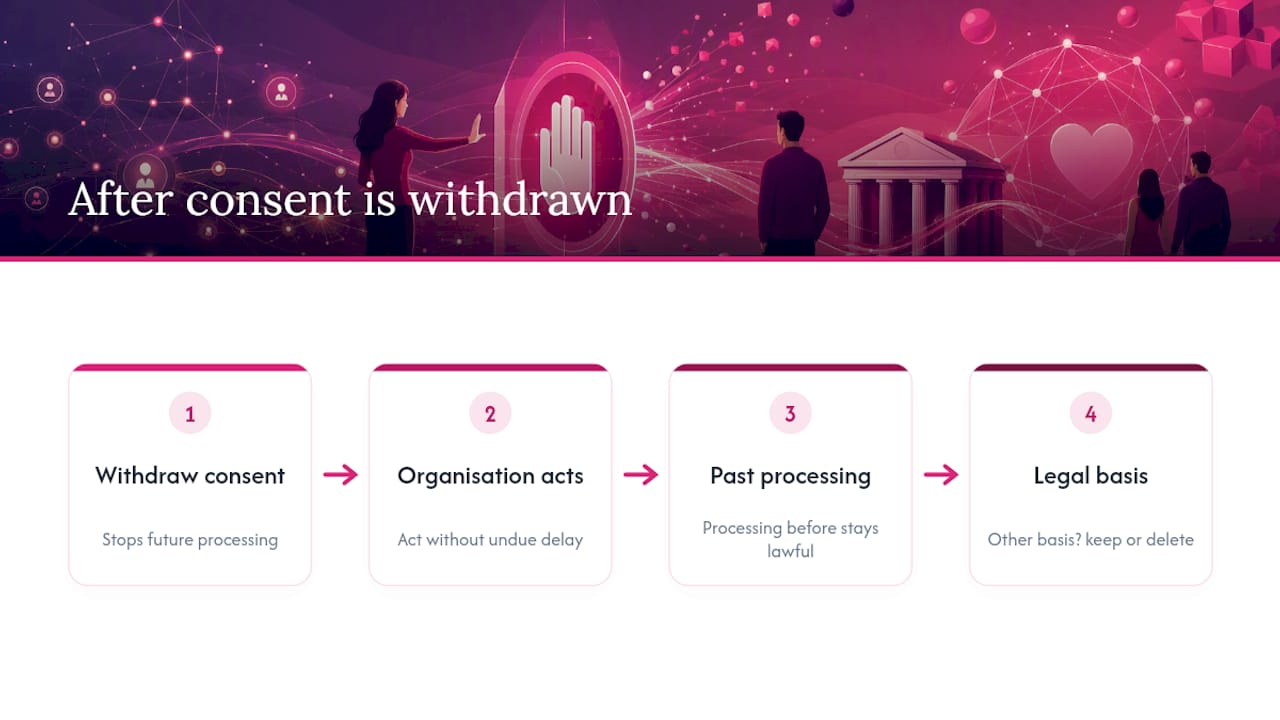
Withdrawing consent stops future processing based on that consent; it does not erase history or force instant deletion of everything the organization holds on you.
Article 7(3) requires that withdrawal be as easy as giving consent in the first place, and that organizations act without unnecessary delay once you’ve made the request. That doesn’t mean instantaneous. Complex systems, especially ones syncing data across multiple internal tools, can take a short administrative window to fully switch off a data flow. Ask for written confirmation so you have a paper trail if the emails don’t stop.
What withdrawal doesn’t do: it isn’t retroactive. Processing that happened before you withdrew stays lawful, and Noyb confirms the organization can keep processing your data going forward if it has another legal basis, such as a contract or a statutory retention duty.
If consent was the only basis for holding your data, the picture changes. The European Commission’s guidance on withdrawn consent states that organizations must delete the relevant personal data once no other lawful basis applies, using a newsletter profile as a common example. Ask specifically whether any other legal basis covers your data. If the answer is no, deletion should follow.
What If a Site Has No Consent Dashboard at All?
Plenty of smaller sites and apps never built a self-service dashboard, and that’s still not a dead end.
- Check the help center or live chat first. Some support teams can flip the switch manually faster than email.
- If chat doesn’t work, email the privacy contact or data protection officer listed in the privacy policy.
- State clearly which consent you’re withdrawing, when and where you originally gave it, and any account ID or email address tied to it.
- Ask for written confirmation, and request deletion of the related data if no other legal basis applies.
- If they go quiet, follow up once, then file an internal complaint before escalating.
A short, specific email works better than a vague one. Try something close to this:
Subject: Withdrawal of consent, Account [your email or ID]
I am withdrawing my consent for [marketing emails / data sharing / cookie tracking], originally given on [date, if known] via [website/app]. Please confirm in writing that processing based on this consent has stopped, and delete any associated personal data if no other legal basis applies. If you cannot action this within a reasonable timeframe, please explain why.
If the organization doesn’t respond or refuses without a valid reason, your next step is a formal complaint to the ICO, with your email trail and dates attached as evidence.
How Swingersuk Puts Privacy Controls in Your Hands
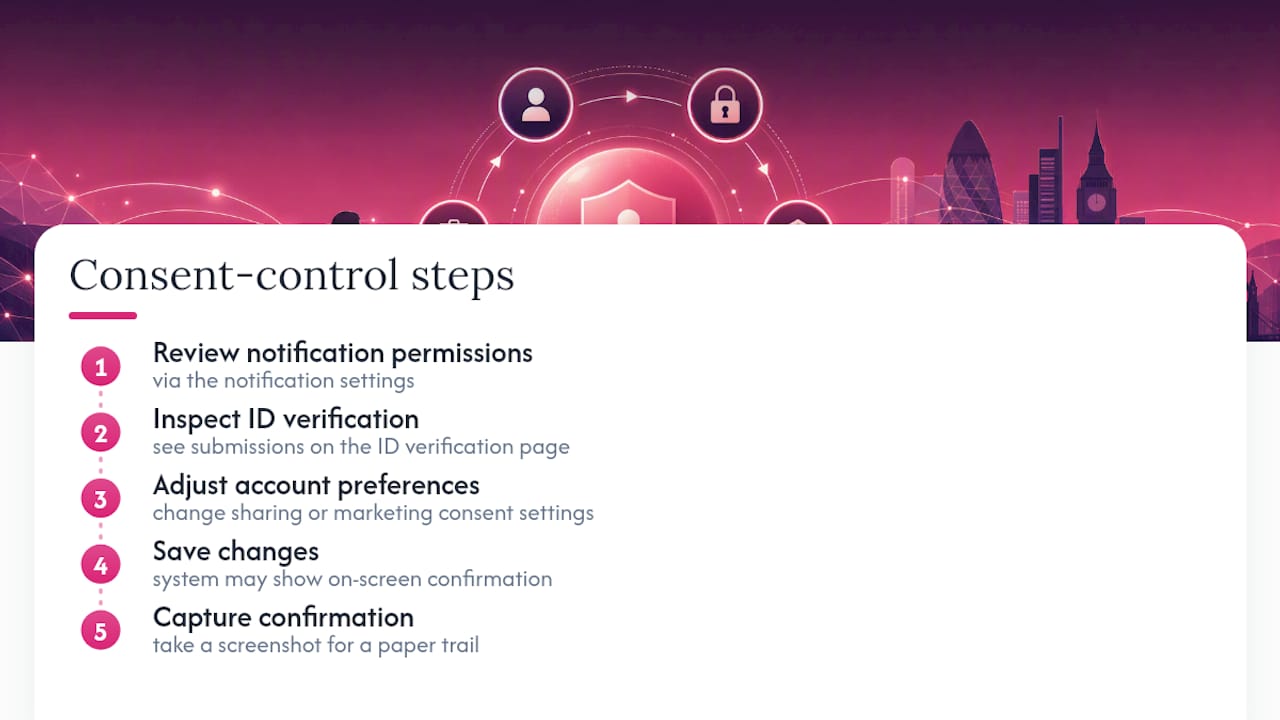
Swingersuk built its privacy setup around a simple principle: withdrawing consent should never require detective work. Members can review notification and messaging permissions directly through the notification settings, which govern how the Pulse Handshake System alerts you and what you’ve agreed to share.
Identity checks work the same way. The ID verification page shows what’s been submitted and confirmed, so verified members always know what’s on file and why it matters for keeping fake profiles off the platform. To withdraw sharing or marketing consent, users often adjust settings within their account preferences and save changes, which may provide on-screen confirmation. Capturing a screenshot of confirmation is a recommended practice for maintaining a paper trail.
Managing Consent Is a Habit, Not a One-Time Task
Most people treat consent like a checkbox they tick once and never revisit. That’s the actual failure point, not the platforms themselves.
Screenshot every confirmation you get when you revoke something. Save the timestamp with it. You’ll need that proof if a company keeps processing your data anyway, and email trails alone tend to get messy after a few weeks.
Set a recurring reminder, once every six months works well, to open your connected apps list and your bank’s active consents screen. Permissions accumulate quietly, and half of them belong to services you stopped using months ago.
Given the choice, favor platforms that publish a real privacy contact and build self-service dashboards instead of hiding controls behind support tickets. That transparency tends to predict how a company handles the rest of your data too.
— Daniel
Take Control of Your Privacy Settings on Swingersuk
Some platforms give users direct control over what they share and who sees it through self-service privacy and notification tools, sometimes backed by an identity verification system to help maintain community integrity and data transparency.
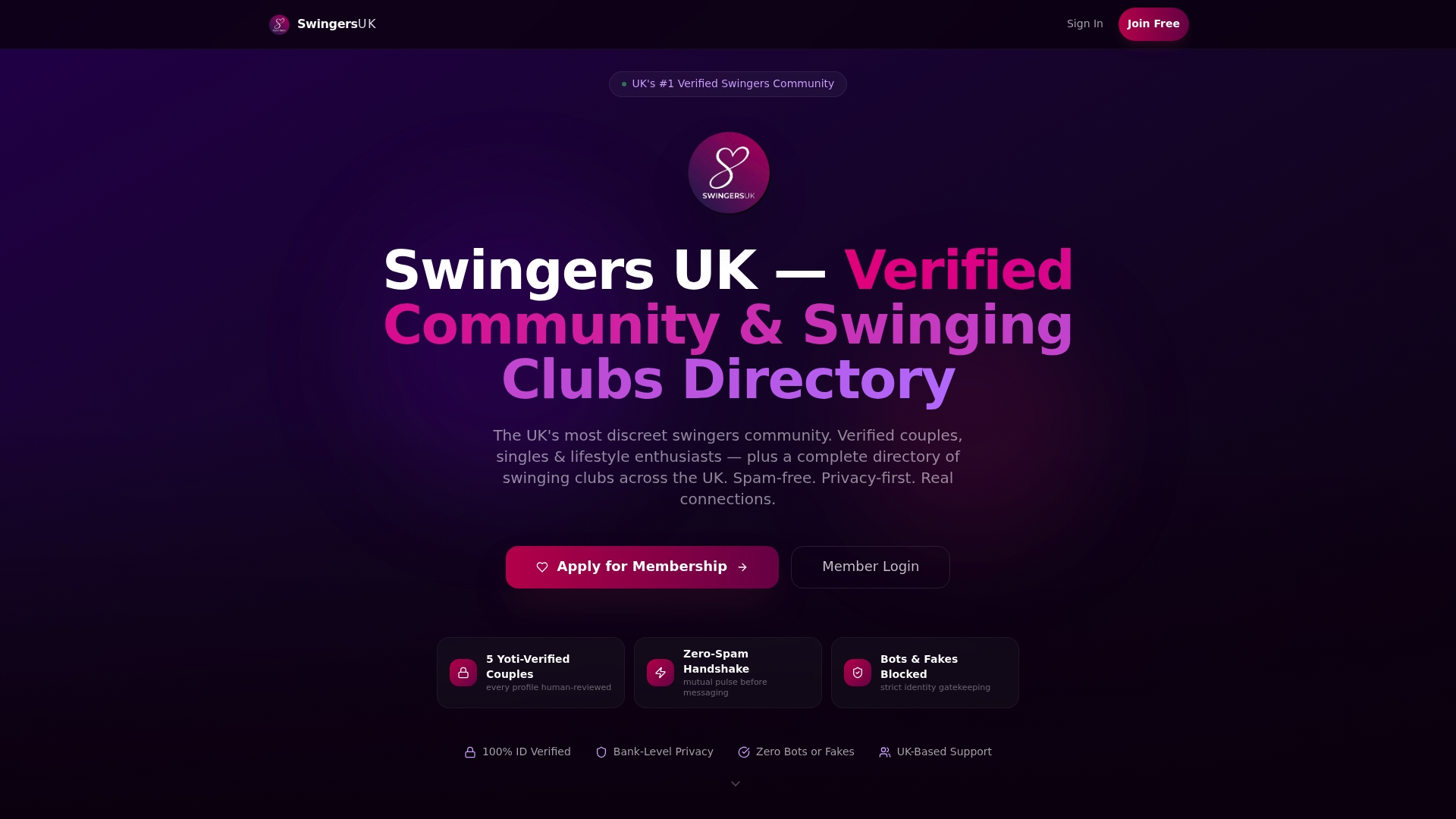
If you’re already a member, check your current sharing and messaging permissions through your notification settings and confirm your verification status on the ID verification page. If you’re new to Swingersuk, create an account and see the privacy controls for yourself before you ever share a photo or message another member. Managing your preferences takes minutes, and you’ll always know exactly what you’ve agreed to.
This article is general information, not a substitute for advice from a qualified lawyer. Consult a qualified legal professional about your own circumstances before acting on anything here.
Sources
- How should we obtain, record and manage consent? | ICO
- Noyb
- Consent Dashboard & Revocation — Open Banking Standards
- Revoke — Google Identity Services developer guide
FAQ
How Do I Cancel Consent Online?
Open the privacy or consent dashboard in your account settings, or use the cookie preferences link on the site. If neither exists, email the organization’s privacy contact and request written confirmation once it’s actioned.
Can I Revoke My Consent Under GDPR?
Yes. UK GDPR Article 7(3) gives you the right to withdraw consent at any time, and organizations must make that process as easy as giving consent was.
Can I Revoke Consent After the Fact, Once Data Has Already Been Processed?
Yes, but withdrawal only stops future processing. It doesn’t undo processing that already happened, which remains lawful under noyb.eu’s explanation of Article 7(3).
Are Online Consent Withdrawal Requests Legally Binding?
Yes, provided you’re withdrawing consent from a UK GDPR-covered organization, they’re legally required to honor the request without unnecessary delay. Keep your confirmation and timestamps in case you need to escalate to the ICO.
Does Revoking Consent on Swingersuk Delete My Profile?
No. Revoking a specific consent, such as marketing notifications, only switches off that particular permission. Your account and verification status stay intact unless you separately choose to close it.