No Face Profile Photos: Aesthetic Ideas and Ready Images
No Face Profile Photos: Aesthetic Ideas and Ready Images
The strongest no-face profile photos fall into eight categories: silhouette, back view, cropped detail (hands, hair, collarbone), props and objects, pet or companion, shadow and reflection, minimalist flatlay, and faceless illustration or AI art. Each approach lets you control your visual presence without revealing your identity.
- Silhouettes and back views project mood and mystery, making them ideal when atmosphere matters more than recognition.
- Cropped details and props signal personality and style, while faceless illustrations give you full creative control over color and aesthetic.
Pick one option from the list above, then either download a ready-to-use image from Unsplash or shoot your own using the checklist in Section 4.
Key Takeaways
The most effective no-face profile photos combine a clear aesthetic choice (silhouette, cropped detail, or faceless illustration) with proper platform cropping and a verified license.
| Point | Details |
|---|---|
| Start with a style category | Pick one: silhouette, back view, cropped detail, prop, or illustration before searching or shooting. |
| Use Unsplash or Pexels first | Both offer free, license-clear faceless portraits with no attribution required for personal use. |
| Compose for the circle crop | Keep your subject inside the central part of the frame to avoid awkward platform clipping. |
| Strip EXIF before uploading | Remove metadata to prevent GPS and device data from being embedded in your public image. |
| Verify the license for commercial use | Pinterest sources and AI tools have varying terms; confirm model releases before any commercial application. |
Table of Contents
- Many no-face profile photo ideas are available right now
- Where to find ready-to-use no-face images
- How to shoot your own faceless profile photo
- How to compose faceless photos for any platform’s crop
- Licensing, privacy, and the legal basics of using faceless images
- Choosing the right faceless profile photo for your presence
- Sources
Many no-face profile photo ideas are available right now
Faceless portrait photography intentionally removes identifiable features so the viewer reads posture, color, and texture instead of a face. That shift is exactly what makes these images feel universal and emotionally open.
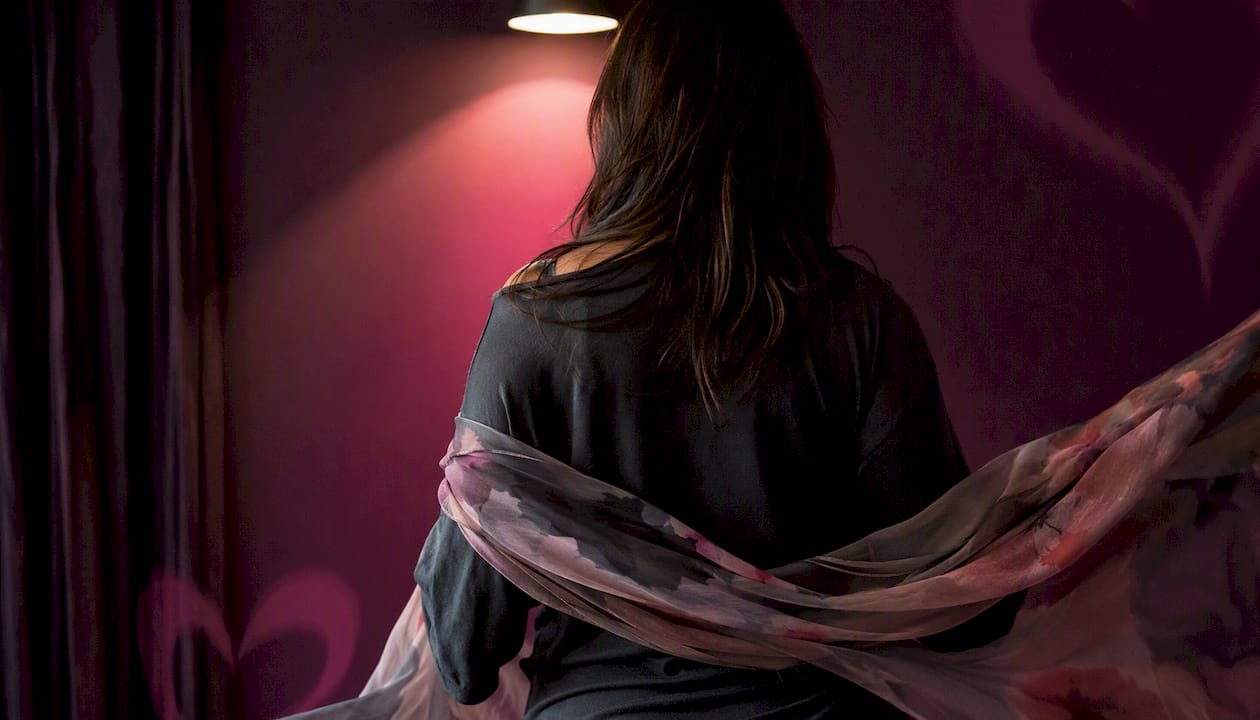
Silhouette and back views
- Golden-hour silhouette: Stand facing a window or the setting sun. Expose for the background so your outline goes dark. Works best with a distinctive hairstyle or hat.
- Back-to-camera street shot: Walk away from the camera on a textured sidewalk or cobblestone alley. Wear a bold-color coat for contrast.
- Rooftop silhouette: Shoot from below against a bright sky. The city skyline frames the subject without any facial detail.
- Forest back view: Subject faces into a tree line. Dappled light adds depth; a neutral linen outfit keeps the palette clean.
- Beach silhouette at dusk: Warm orange tones, minimal editing. Source this style on Unsplash’s no-face collection, which aggregates hundreds of downloadable faceless portraits.
Styling note: Silhouettes read best in high-contrast settings. Avoid busy backgrounds that compete with the outline.
Cropped-detail shots
- Hands holding a coffee cup: Shoot from above, soft morning light, neutral table surface.
- Hair from behind: Long or textured hair fills the frame. Add a scrunchie or hair clip for personality.
- Collarbone and neckline: A delicate necklace or tattoo becomes the focal point. Shoot at shoulder level.
- Feet in sand or on a colorful floor: Great for travel or lifestyle accounts.
- Wrist and sleeve detail: A watch, bracelet, or cuff shot close-up with shallow depth of field.
Hands, hair, and partial-body poses
- Book in hands: Subject reads, face angled away. Warm lamp light, cozy aesthetic.
- Hat pulled low: Brim covers the upper face. Shoot at eye level for a cinematic feel.
- Over-the-shoulder glance (cropped at chin): Keeps the jaw and below; removes eyes and forehead. Works on Instagram and TikTok.
- Arms raised, face out of frame: Dynamic and energetic. Useful for fitness or dance profiles.
- Lying-down flatlay (body only): Subject lies on a textured rug or bed; camera points straight down. Crop at the neck.
Props and objects
- Flowers covering the face: Hold a bouquet at face height. Shoot straight on. Floral, romantic aesthetic.
- Book or magazine as a face shield: Playful and editorial. Choose a cover that reflects your personality.
- Umbrella from above: Colorful umbrella seen from a bird’s-eye angle. Subject is implied, not visible.
- Hat over face while lying down: Classic, relaxed. Works in golden-hour light on grass or a blanket.
- Camera or phone held up: The device blocks the face; meta and creative for content-creator profiles.
Sourcing note: Pinterest boards aggregate curated prop-based no-face ideas and remain one of the best discovery channels for mood and color palette inspiration.
Pets and companions
- Dog covering the face: Hold your pet up to face level. Candid and warm.
- Cat on shoulder, face turned away: The pet draws the eye; your identity stays private.
- Holding a small animal close: Bunny, bird, or guinea pig at chin level works well for a soft, approachable aesthetic.
Shadow and reflection shots
- Shadow on a textured wall: Stand sideways to the sun; photograph your shadow rather than yourself.
- Reflection in sunglasses: Another person photographs your reflection in the lenses. Abstract and editorial.
- Puddle reflection: Crouch and shoot the reflection in still water. Moody, urban aesthetic.
- Mirror shot, face obscured by phone: The phone blocks the face; the outfit and setting are the story.
Minimalist flatlays
- Outfit flatlay: Lay clothes, shoes, and accessories on a clean surface. No body needed.
- Desk or workspace flatlay: Laptop, notebook, coffee, plant. Signals profession and personality.
- Travel flatlay: Passport, map, sunglasses, and a hat arranged on a neutral background.
Sourcing note: Pexels hosts body-positive, faceless editorial images that work well as mood-board references for this category.
Faceless illustration and AI art
- Minimalist line-art portrait: A simple outline of a figure with no facial features. Clean, modern.
- AI-generated faceless avatar: Tools like Pixelcut’s faceless portrait generator convert a photo into a stylized illustration, preserving posture and clothing while removing facial detail entirely.
- Watercolor silhouette: Soft color washes, no hard lines. Artistic and gender-neutral.
- Faceless Lab portraits: Faceless Lab generates artistic, identity-preserving portraits suited for social media and branding.
- Geometric avatar: Bold shapes replace facial features. High contrast, graphic aesthetic.
Pro Tip: Choose a color palette of two or three tones and apply it consistently across your faceless image. A cohesive palette makes an anonymous photo feel intentional rather than evasive, and it carries your “brand” even without a face.
Where to find ready-to-use no-face images
You don’t need to shoot anything to get a strong faceless profile picture. Three platforms cover most use cases.
- Unsplash: Best for high-resolution, editorial-quality images. Search “back view portrait,” “silhouette,” or “faceless portrait.” The no-face collection on Unsplash returns hundreds of results, all free to use under the Unsplash License with no attribution required for most uses.
- Pexels: Strong for body-positive and lifestyle-oriented faceless images. Try searches like “unrecognizable woman,” “anonymous portrait,” or “back view.” Free under the Pexels License; attribution is appreciated but not required.
- Pinterest: Best for curated mood boards and style discovery. Search “aesthetic no face profile pic” or “faceless portrait ideas.” Pinterest links back to original sources, so always click through to confirm the license before downloading.
- Pfps.gg: Hosts ready-made profile picture files with platform-specific instructions for Discord, Instagram, TikTok, and others. Quick and practical when you want a finished file immediately.
| Source | License type | Attribution required | Best for |
|---|---|---|---|
| Pexels | Pexels License | No (appreciated) | Lifestyle and body-positive images |
| Varies by original source | Depends on source | Mood boards and style discovery |
Safety check before you download: Confirm model-release status if you plan commercial use. Free stock licenses on Unsplash and Pexels cover personal and most editorial uses, but commercial campaigns may need a verified model release. Always click through to the original source on Pinterest rather than saving directly from the pin.
Faceless portraits shift attention from identity to posture, clothing, and color, making them powerful for personal brands that want mood over biography.
How to shoot your own faceless profile photo
A polished faceless profile picture is achievable with a smartphone and 20 minutes. Follow this sequence.
- Define your purpose and mood. Decide whether you want mysterious, warm, editorial, or playful. Your mood choice drives every other decision.
- Choose your backdrop. A plain wall, a window with natural light, or an outdoor setting with a clean background all work. Avoid clutter that competes with the subject.
- Select your outfit. Wear something that reflects your personality. Since the face is absent, clothing and color carry the full visual weight.
- Set up your lighting. Natural window light is the most flattering option. Position yourself so the light hits from the side or slightly in front. Golden-hour outdoor light adds warmth with no extra effort.
- Choose your pose from the idea list above. Back view, cropped detail, or prop-based poses are the easiest to execute solo with a timer or a friend.
- Frame for the circle crop. Keep the main subject (your silhouette, hands, or prop) within the central part of the frame. Leave breathing room at all edges.
- Shoot in portrait orientation at the highest resolution your phone allows. More pixels give you more flexibility when cropping.
- Edit in three steps: adjust exposure and contrast, apply a consistent color grade (warm, cool, or desaturated), then crop to a square or the platform’s preferred ratio.
- Remove EXIF data before sharing publicly. Most photo editors have an option to strip metadata on export, or use a dedicated tool.
- Test the crop on each platform before finalizing. Upload to a test account or use the platform’s preview before committing.
Pro Tip: Compose with the circle crop in mind from the start. Imagine a circle inscribed inside your frame. The subject’s key visual element (the silhouette outline, the hands, the prop) should sit comfortably inside that circle with no important detail near the corners.
Quick shooting checklist:
- Backdrop selected and clutter-free
- Outfit chosen and pressed
- Lighting source identified (window, golden hour, or softbox)
- Pose decided from the idea catalogue
- Phone on highest resolution, grid lines on
- Timer or remote shutter ready
- EXIF removal planned before upload
How to compose faceless photos for any platform’s crop
Every major social platform crops profile pictures into a circle. A photo that looks great as a rectangle can lose its focal point entirely once the corners are cut.
The circle-safe area rule: keep every important visual element inside the central area of the frame. Anything near the corners will be clipped. For a back-view silhouette, that means the full outline of the head and shoulders should sit well within that zone, not touching the edges.
- Instagram: Displays profile pictures as small circles. High-contrast images (silhouettes, bold-color props) read better at small sizes than low-contrast detail shots.
- TikTok: Profile picture appears as a circle over video content. A clean, simple image with one dominant element works best.
- Twitter/X: Circle crop, displayed at multiple sizes. Test at the smallest display size to confirm the image is still legible.
- Facebook: Circle crop on desktop, sometimes square on mobile. Leave margin on all four sides.
- LinkedIn: Circle crop. Professional-looking faceless images (desk flatlay, back-view in business attire) perform well here.
Pro Tip: Before you set any image as your profile picture, upload it to the platform and use the built-in crop preview. Drag the image around inside the circle tool to confirm nothing important is cut. This takes 30 seconds and prevents a week of a poorly cropped avatar.
Licensing, privacy, and the legal basics of using faceless images
Using a faceless image does not automatically mean you are anonymous or legally clear. A few things to know before you upload.
License types you will encounter:
- Unsplash License and Pexels License: Both allow free personal and commercial use without attribution for most purposes. Model releases are typically included for identifiable subjects, but always verify for commercial campaigns.
- Creative Commons (CC0): Full public domain. No restrictions, no attribution needed.
- Pinterest-sourced images: Pinterest aggregates content from across the web. The license belongs to the original creator, not Pinterest. Always trace the image to its source before using it.
- AI-generated images: Generally owned by the person who generated them, though terms vary by platform. Check the specific tool’s terms of service.
Privacy risks even without a face:
- Distinctive tattoos, birthmarks, or jewelry can identify a person even in a faceless image.
- EXIF metadata embedded in photo files can contain GPS coordinates, device model, and timestamp. Strip it before sharing.
- Location backgrounds (a recognizable building or street) can reveal more than you intend.
NoFace runs entirely client-side in the browser, detecting faces and removing EXIF data without uploading your image to any server. Pixellize offers similar in-browser background removal and avatar export with no signup required.
General information only. Confirm current rules with a qualified legal professional for your specific use case.
Choosing the right faceless profile photo for your presence
The most common mistake people make with faceless profile pictures is treating anonymity as the goal rather than the starting point. Anonymity is the constraint. Personality is still the goal.
A stylized faceless illustration gives you total control over color, line, and aesthetic, but it can feel impersonal if the style doesn’t match the rest of your profile. A natural cropped photo (hands, back view, silhouette) feels warmer and more grounded, but it requires more thought about lighting and composition.
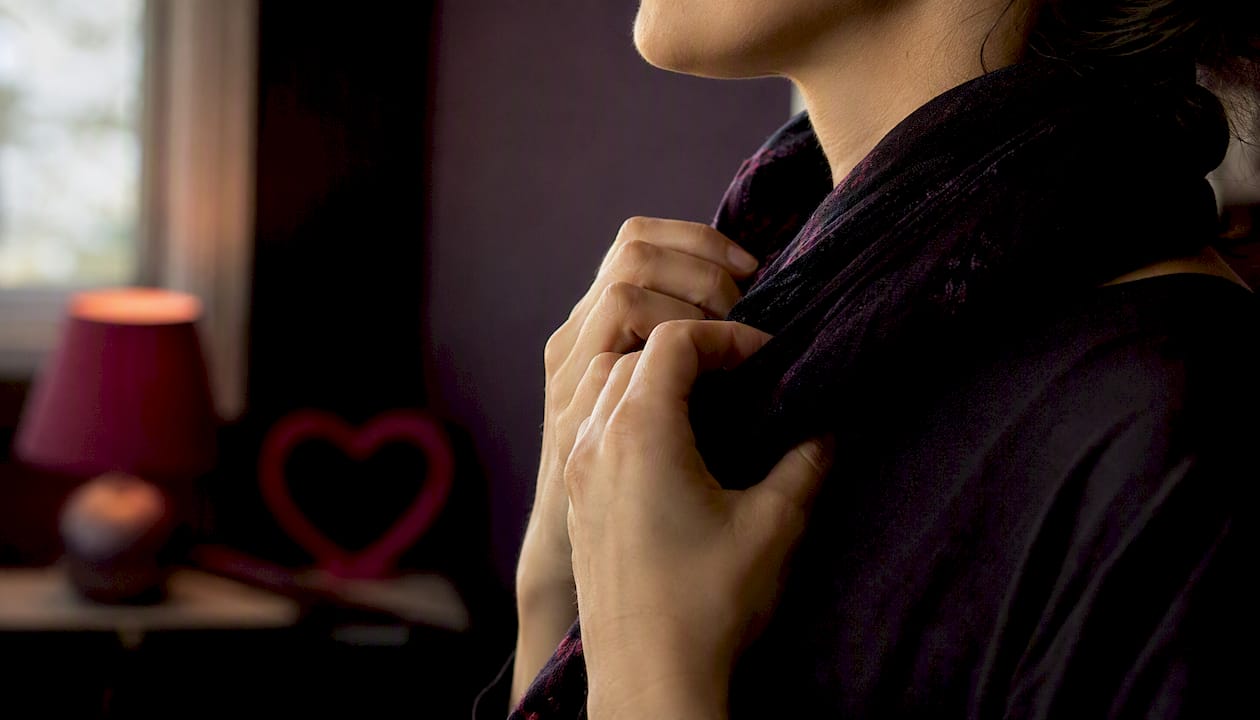
On Swingersuk, where verified identity and genuine connection are the foundation of the community, a faceless profile photo works best when it still communicates something real: your style, your mood, your energy. A well-composed back-view silhouette or a confident prop shot signals presence without exposure. Pair it with a complete, verified profile. The community’s Pulse Handshake System handles the trust layer, so your image doesn’t have to carry that weight alone. Members exploring private cam rooms or local events often find that a thoughtful faceless avatar actually generates more genuine interest than a rushed face photo.
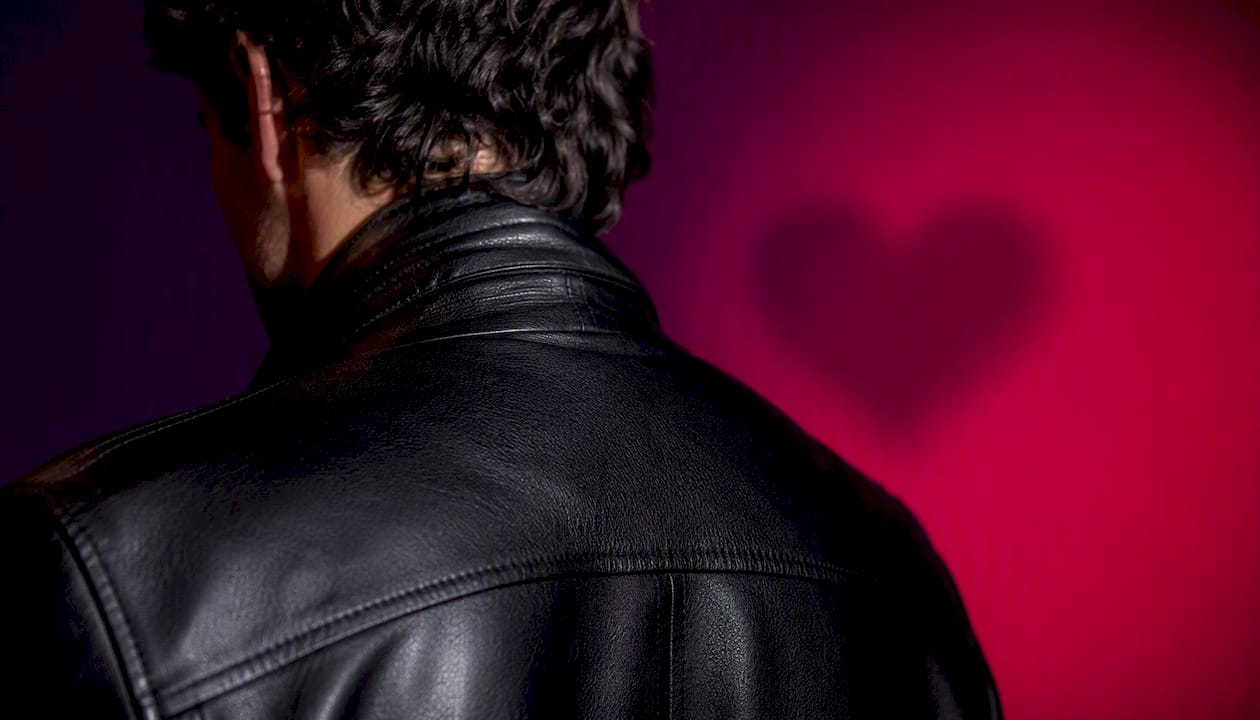
Between a stylized illustration and a natural cropped photo, choose based on how much control you want. If your aesthetic is consistent and graphic, go illustrated. If you want warmth and spontaneity, shoot a back view in good light and crop it well.
Sources
- Unrecognizable plump woman in underwear near faceless female · Free Stock Photo
- Faceless portrait photography: anonymity
- Free Faceless Portrait Generator | Create Faceless Portraits with AI
- NoFace - Privacy-First Image Anonymization
- AI Profile Photo Maker Free, No Watermark | Pixellize