
Dating App Verification: What It Proves and How to Use It
Dating App Verification: What It Proves and How to Use It
The most reliable dating app verification combines at least two layers: a photo or video liveness check that confirms your face matches your profile photos, plus a government ID upload with OCR that confirms your age and identity. Where both are available, use both. A single badge raises confidence, but it is not a guarantee of trustworthiness, and the FTC has consistently flagged romance scams as one of the top consumer fraud categories regardless of whether profiles carry verification marks.
What each common signal actually proves:
- Photo-verified badge: Your profile photo matched a live selfie captured at the time of the check. It confirms likeness, not identity.
- ID-verified badge: A government document (driver’s license, passport, or state ID) was checked for authenticity via OCR, and your face was matched to it. It confirms age and a real-world identity document was presented.
One important caution: Illinois’s Biometric Information Privacy Act (BIPA) and California’s CCPA/CPRA both give users rights over biometric data collected during verification. Swingersuk’s ID verification process is built around both AI and human review, with privacy controls that let members manage their data.
Key Takeaways
Multi-layer dating app verification combining liveness checks, government ID, and behavioral signals gives you the strongest fraud protection currently available on any platform.
| Point | Details |
|---|---|
| Badges confirm a specific check | A photo badge confirms likeness at time of check; an ID badge confirms age and document authenticity. |
| Badges have real limits | No verification badge includes a criminal background check or guarantees current trustworthiness. |
| Biometric data is retained | FaceMap hashes are typically kept for the account lifetime; submit a deletion request when you close an account. |
| U.S. laws protect your data | BIPA (Illinois) and CCPA/CPRA (California) give you consent, access, and deletion rights over biometric verification data. |
| Swingersuk uses multi-layer checks | AI and human-reviewed ID verification, plus the Pulse Handshake System, make every profile on the platform genuinely verified. |
Table of Contents
- How does dating app verification actually work?
- What does a “verified” badge on a dating profile actually mean?
- How do you complete a verification flow on a dating app?
- What privacy and U.S. legal issues should you know before verifying?
- Should you verify your dating app profile?
- What’s new in dating app verification right now?
- Why verification is non-negotiable for community-first platforms
- Swingersuk: verified community for couples and singles
- Sources
How does dating app verification actually work?
Dating apps use several distinct methods to confirm who you are, and each one checks something different.
The main verification methods:
- Profile photo selfie match: You take a real-time selfie and the app compares it to your uploaded profile photos using facial recognition. Fast, low friction, no documents required.
- Liveness / video selfie check: You record a short video or perform a gesture (turn your head, blink). Anti-spoofing algorithms confirm a live person is present, not a printed photo or deepfake.
- Government ID upload + OCR: You photograph a driver’s license, passport, or state ID. Optical character recognition reads the document fields, and an authenticity check looks for signs of tampering. The app then matches the ID photo to your live selfie.
- Biometric templates (FaceMap/FaceVector): Some apps generate a mathematical representation of your face from the liveness video. Tinder’s Photo Verification creates a FaceMap and FaceVector to match profile photos and retains audit images for account-safety purposes.
- Phone number and email verification: Low-friction checks that confirm account ownership, not identity. Easy to fake with a burner number.
- Social account linking: Connecting a Facebook or Instagram account adds a soft signal that the profile has a history, but it does not confirm the person behind it.
- Behavioral and cross-device signals: Incognia notes that cross-device and behavioral signals can supplement biometric checks to reduce fraud and keep underage users out.
Third-party identity verification vendors handle the heavy lifting behind the scenes for many major apps. Onfido, Jumio, Persona, and Regula (Regula Forensics) each provide document authenticity checks, liveness detection, and vendor attestation that the verification was performed to a defined standard. The app itself rarely builds this infrastructure from scratch.
| Method | What it verifies | User friction | Data captured | Anti-spoofing strength | Visible signal |
|---|---|---|---|---|---|
| Photo selfie match | Likeness to profile photo | Low (seconds) | Selfie image, audit log | Low (static photo spoof possible) | Photo-verified badge |
| Liveness / video selfie | Live presence, likeness | Low–medium duration | Video clip, FaceMap/FaceVector | High (detects printed photos, deepfakes) | Photo-verified badge |
| Government ID + OCR | Age, real-world identity | Medium (2–5 min, document required) | Redacted ID image, DOB, name | High (document authenticity checked) | ID-verified badge |
| Biometric template | Ongoing face-match | Low after initial setup | FaceMap hash (retained) | High | Photo-verified badge |
| Phone / email | Account ownership | Very low | Phone number or email | Very low | None or minor checkmark |
| Behavioral / device signals | Usage patterns, device history | None (passive) | Device fingerprint, location metadata | Medium | None visible to other users |
Pro Tip: Use natural lighting, remove sunglasses and filters, and make sure your face fills the frame. Most verification failures trace back to poor lighting or a partially obstructed face, not a system error.
Forbes coverage of the industry trend confirms that major platforms are moving toward multi-layered verification combining photo validation, video liveness, and AI anti-spoofing, with periodic rechecks to deter fake profiles and romance scams.
What does a “verified” badge on a dating profile actually mean?
Badges look similar across apps but confirm very different things. Before you trust one, check what the app says it checked.
Common badge types and what they typically confirm:
- Photo-only verified: Profile photo matches a live selfie. Confirms likeness at the time of check. Does not confirm name, age, or any document.
- Photo + ID verified: Live selfie matched to a government ID. Confirms likeness and that a real identity document was presented. Tinder’s ID + Photo Verification issues separate badges for photo-only and ID-plus-photo flows.
- Age-verified: A date of birth from a government ID was checked. Confirms the user is over a stated age threshold.
- Behavioral / signals-based: No document or selfie, just usage patterns. The weakest signal and rarely displayed as a badge.
Verification badges confirm a photo match or an ID check at a point in time. They do not represent a criminal background check, a character assessment, or a guarantee that the person is who they claim to be today. As ScamWatch’s analysis of dating-app badges puts it: badges are one signal among many, not a substitute for vigilance.
To find out exactly what a badge means on any app, tap the badge icon on a profile. Most apps display a tooltip or a linked help page that describes the specific check performed. If no tooltip appears, check the app’s help center before drawing conclusions.
Zoosk’s Photo Verification is a useful example of this limitation in plain language: the app explicitly states that a Photo Verified badge does not guarantee a user’s identity beyond confirming the photos match.
How do you complete a verification flow on a dating app?
The standard verification process follows a consistent pattern across most major apps, with minor differences in which steps are required.
Typical steps:
- Open your profile settings and locate the verification or “Get Verified” option.
- Grant camera access when prompted.
- Capture a live selfie or short video. Follow any gesture prompts (turn your head, blink, smile).
- If the app requests ID verification, photograph the front (and sometimes back) of your driver’s license, passport, or state ID.
- Submit and wait. Automated checks usually complete in seconds to a few minutes. Human moderation can take anywhere from minutes to 48–72 hours.
- Receive your badge once approved, or a notification if the check failed.
App-specific notes:
- Tinder runs a liveness video check that generates a FaceMap, then optionally adds a government ID step for its full ID + Photo badge.
- Zoosk uses a short selfie video reviewed by human moderators before issuing its Photo Verified badge.
- Badoo asks users to upload a government ID and take a live selfie to confirm both age and likeness, and may prompt a recheck if underage is suspected.
- Bumble combines automated checks with human review; in the U.S. the process can be mandatory, and failing it may restrict your account until resolved.
Troubleshooting common failures:
- Poor or harsh lighting: use soft, even light facing you, not behind you.
- Obstructed face: remove glasses, hats, and masks before starting.
- Filters active: turn off all camera filters before the capture step.
- Expired or damaged ID: use a current, undamaged document with a clear photo.
- Retry limits: Hinge’s Face Check documentation notes that platforms commonly allow a limited number of attempts (often three) before requiring a support contact.
What privacy and U.S. legal issues should you know before verifying?
Submitting to verification means handing over biometric data. Know what you are agreeing to.
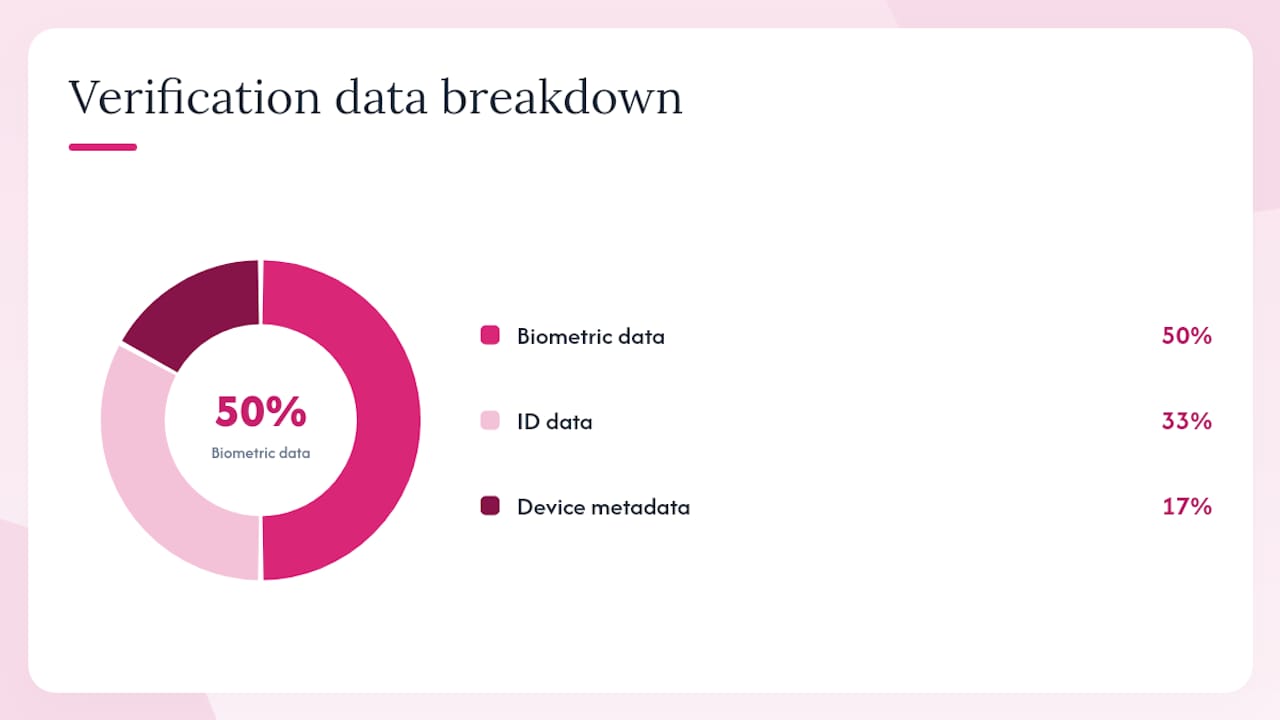
Data typically collected during verification:
- Live video selfie or short video clip
- Audit images (still frames extracted from the video)
- FaceMap or FaceVector biometric hash
- Redacted or encrypted copy of your ID image
- Date of birth extracted via OCR
- Device metadata and IP address at the time of submission
Relevant U.S. laws:
- BIPA (Illinois Biometric Information Privacy Act): Requires informed written consent before collecting biometric identifiers, mandates a published retention schedule, and prohibits selling biometric data. Applies to Illinois residents and has driven class-action litigation against tech companies. Regulators and consumers are increasingly focused on biometric retention policies, pushing apps to publish clearer deletion rules.
- CCPA / CPRA (California): Gives California residents the right to know what biometric data is collected, the right to delete it, and the right to opt out of its sale. Dating apps operating in California must honor deletion requests within 45 days.
- FTC guidance: The FTC has issued guidance on romance scams and deceptive practices in online platforms. While the FTC does not regulate verification directly, it can act against platforms that misrepresent how verification data is used or retained.
Practical privacy checklist before you verify:
- Read the app’s biometric data retention policy before submitting.
- Confirm the app offers a deletion request process for your verification data.
- Check whether your state has a biometric privacy law (Illinois, Texas, Washington, and others have enacted statutes).
- After verifying, revisit privacy settings to confirm what data is shared with third-party IDV vendors.
Biometric templates like FaceMap hashes are often retained for the lifetime of your account and may only be deleted on account closure or after a formal data-subject request, per Tinder’s own documentation. Always submit a deletion request when you close an account.
Pro Tip: Screenshot or save the confirmation email from any verification you complete. If you later need to dispute a failed check or request data deletion, that timestamp is your proof of submission.
This article addresses U.S. legal context. Laws vary by state and jurisdiction; confirm current rules with a qualified privacy professional or your state attorney general’s office.
Should you verify your dating app profile?
For most users, the answer is yes, with clear conditions.
Verify when:
- You plan to meet someone in person. A verified profile on both sides reduces the risk of catfishing before a real-world meeting.
- You want access to verified-only filters or premium features. Many apps restrict messaging or visibility boosts to verified members.
- You are reporting a suspicious account. Verified status adds credibility to your report.
- The app makes it mandatory (Bumble in the U.S., and soon Tinder for new users).
You may reasonably skip or delay when:
- You are only browsing and have no intention of meeting anyone.
- You are not comfortable with the app’s biometric retention policy and have not yet reviewed it.
- You are in a state with strong biometric privacy laws and want to review your rights first.
| Factor | Verified | Not verified |
|---|---|---|
| Trust signal to other users | Strong (photo or ID badge visible) | None |
| Access to features | Full (messaging, filters, visibility) | Often restricted |
| Privacy exposure | Higher (biometric data retained) | Lower |
| Risk of false rejection | Present (lighting, ID issues) | Not applicable |
| Protection against catfishing | Meaningful reduction | No structural protection |
Pro Tip: Verification status is one layer of safety, not the whole stack. Always video-call before meeting in person, meet in a public place the first time, and never send money to someone you have not met face-to-face, regardless of their badge.
Behavioral and cross-device signals, as noted by Incognia’s identity verification overview, add another fraud-reduction layer that works passively alongside your visible badge. Apps that combine all three layers (biometric, document, behavioral) give you the strongest protection available today.
What’s new in dating app verification right now?
The biggest shift in 2025 is Tinder’s move to make biometric verification mandatory for new U.S. users. Bloomberg reported that Tinder planned a U.S. rollout requiring a biometric video face scan for new users, with a visible photo-verified badge issued on completion. That is a significant change from the previous opt-in model.
What this means for users and platforms:
- New sign-up friction will increase. Expect a liveness video step as a standard part of onboarding, not an optional extra.
- More profiles will carry verified badges, which raises the baseline trust level across the platform but also raises user expectations about what those badges prove.
- Mandatory verification creates pressure on all major apps to follow, accelerating the industry-wide shift toward multi-layer checks.
- IDV vendors like Onfido, Jumio, Persona, and Regula will see increased demand as platforms outsource the compliance and technical burden of biometric verification.
The Forbes analysis of identity verification trends confirms this direction: photo validation, video liveness, AI anti-spoofing, and periodic rechecks are becoming the standard stack, not a premium add-on. Platforms that combine automated biometrics with human moderation reduce false positives and handle edge cases that AI alone misreads.
Why verification is non-negotiable for community-first platforms
Most mainstream dating apps treat verification as a feature. Platforms built around real-world meetups and lifestyle communities treat it as a foundation. The difference matters.
When you are meeting someone in person, not just swiping, the stakes of a fake profile are higher. A photo-verified badge on a casual app tells you the selfie matched. A multi-layer verification system that combines AI facial recognition, human review, and document checks tells you something closer to the truth: this person exists, they are the age they claim, and a real human reviewed the submission.
The industry is moving in this direction because it has to. Romance scam losses run into the billions annually, and regulators are watching. But the platforms that get there first, and build privacy controls that users can actually trust, will be the ones that retain members long-term. Verification without transparency about data retention is not a safety feature. It is a liability.
Swingersuk: verified community for couples and singles
Swingersuk is built for couples, singles, and LGBT+ members who need more than a photo badge before they trust someone. Every member profile goes through AI-assisted and human-reviewed ID verification, so the verified status you see on a Swingersuk profile reflects a genuine identity check, not just a selfie match.
The platform’s Pulse Handshake System means messaging only opens when both parties express mutual interest, cutting out unsolicited contact entirely. Privacy controls let you manage exactly what you share and with whom, and incognito mode keeps your browsing discreet. For members who want to stay current on verification updates and new platform features, the what’s new page tracks every rollout. If you are ready to join a community where every profile is verified and zero spam is the standard, start your Swingersuk membership today.
Sources
The sources below are the primary references used in this article. Visit them for app-specific instructions, to report suspicious activity, or to read the full policy documents.
- Tinder Face Verification Will Be Mandatory for New Users in US - Bloomberg
- How Does Photo Verification Work? — Tinder
- What is Zoosk Photo Verification and how can I get it? – Zoosk Help
- How Identity Verification Is Transforming Dating Apps — Forbes
- When ‘Verified’ Isn’t: What Dating‑App Badges Really Confirm (Bumble, Tinder, Hinge & More) | ScamWatch
- Verifying your photos – Bumble Support
- Dating App Profile Verification Process — Appscrip
- Online Dating Identity Verification — Incognia
- Face Check Scan — Hinge Help